How to install Inkspring for Mac
Your private writing studio for research, drafts, and replies.
- Apple silicon
- macOS 14 or later
- Free to use
Free software.
Supported by people.
If Inkspring helps you write, you can buy me a coffee to support its development. Thanks for using Inkspring.
Buy me a coffeeTips are optional. Every Inkspring feature and export stays free.
Download the installer

Inkspring-1.0.0.dmg
5.1 MB · Version 1.0.0
- Signed by Protomota
- Notarized by Apple
- Signed updates
Verify the download
In Terminal, run shasum -a 256 ~/Downloads/Inkspring-1.0.0.dmg and compare the result with this SHA-256:
88633c84b32675967d9b5219309b9ad98f8e091031617af9b9329b1704462a16Open the disk image and drag to Applications
Double-click Inkspring-1.0.0.dmg in Downloads. In the window that opens, drag Inkspring onto the Applications shortcut. Eject the disk image when the copy finishes.
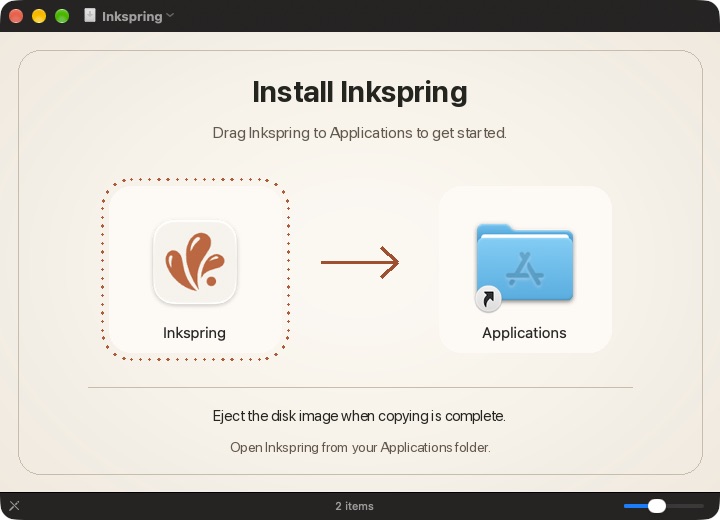
Drag Inkspring onto Applications, then eject the disk image. Launch Inkspring and start a draft
Open Inkspring from Applications. If macOS asks you to confirm opening the app, click Open. Select New draft to start writing.
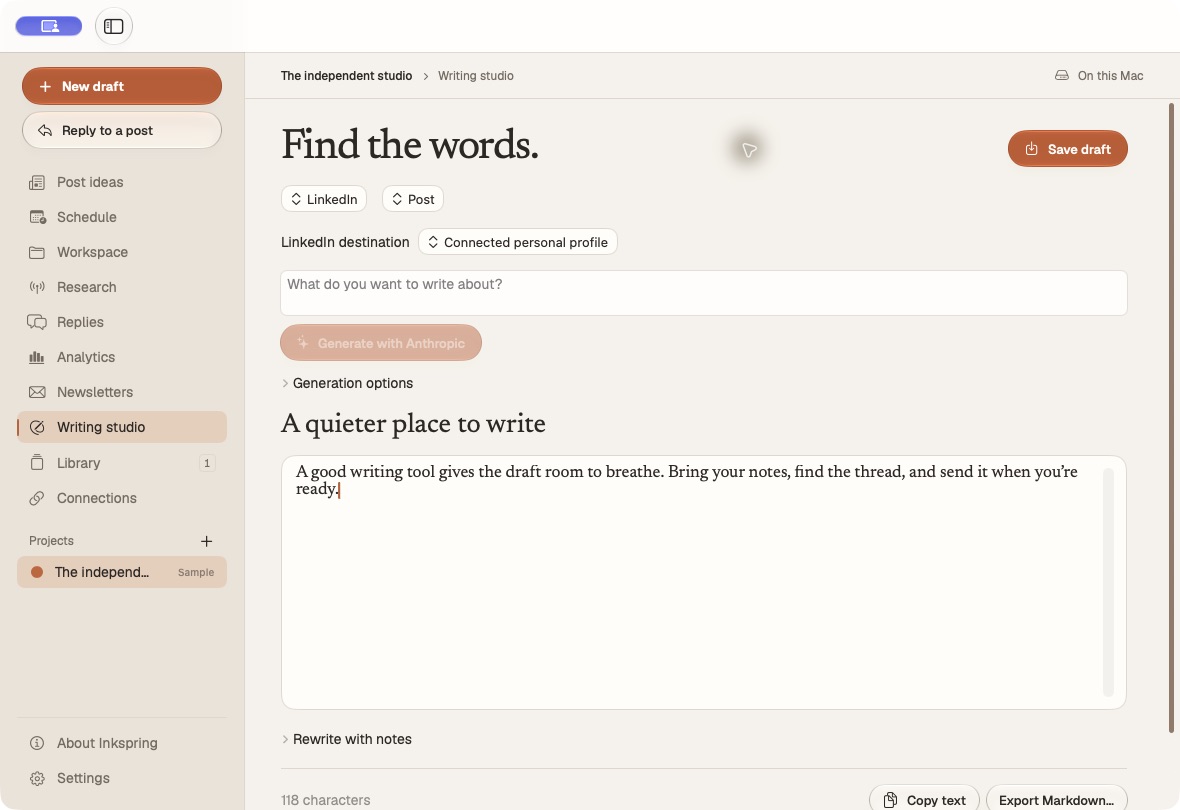
The Writing studio in Inkspring for Mac.